Hur vill du se våra priser?
Alla priser visas exklusive moms som standard, men du kan välja att se dem med moms inkluderat.


Cart
0
€0
€0
Don’t hesitate to get in touch with us if you have questions about our products or your order. You’ll reach us on phone +46 (0) 8 – 653 00 80 or by filling out the form on this page.
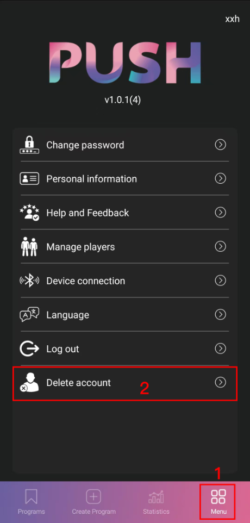
1. Open the personal center page of the APP and select the option to delete the account, as shown in the following figure:
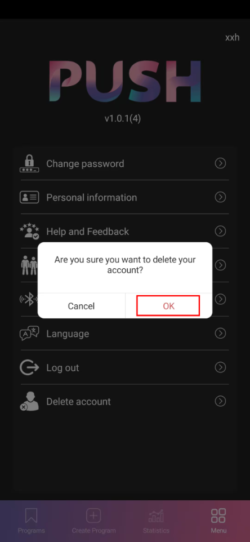
2. A pop up a confirmation box for deleting the account will appear, select “Confirm” to proceed to the next step, as shown in the following figure:
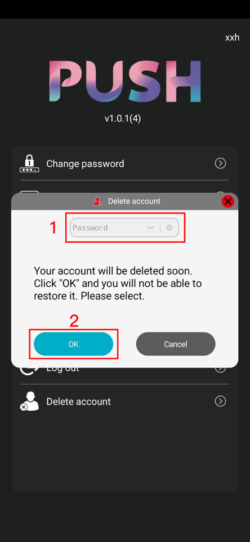
3. After entering the password, click “Confirm” to delete the account, as shown in the following figure:
Hur vill du se våra priser?
Alla priser visas exklusive moms som standard, men du kan välja att se dem med moms inkluderat.